How to Sync 99acres and MagicBricks Leads to Your CRM in 2026
Learn how to sync 99acres and MagicBricks leads to a CRM, reduce manual entry, track enquiries, assign leads, and improve real estate follow-ups.
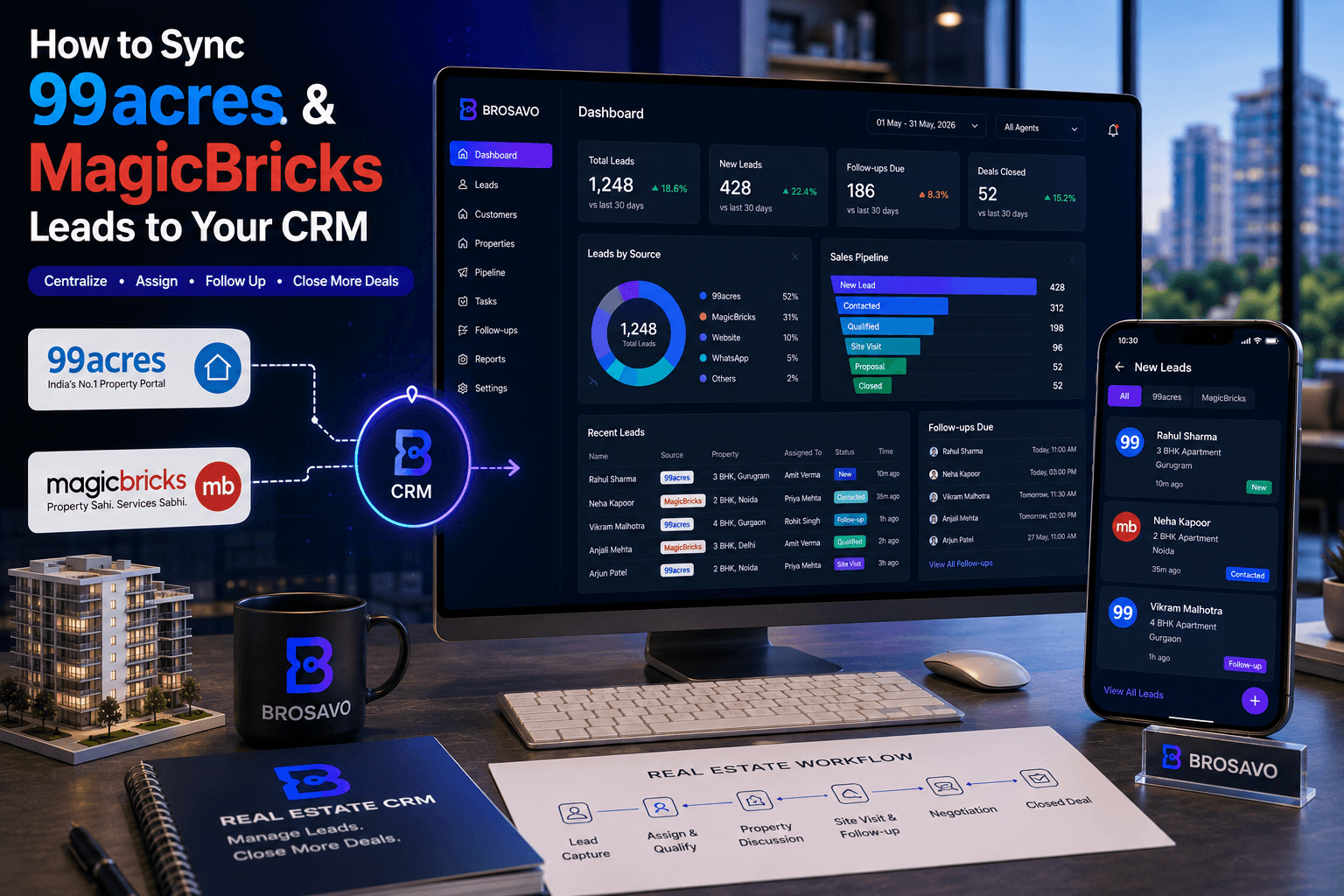
How to Sync 99acres and MagicBricks Leads to Your CRM in 2026
Real estate businesses often generate enquiries from multiple property portals, including 99acres and MagicBricks. The challenge starts after the enquiry arrives.
If leads remain separated across different portal dashboards, email notifications, spreadsheets, and messaging apps, sales teams can struggle to maintain a clear view of who has been contacted, who needs a follow-up, and which properties each customer is interested in.
Connecting property portal leads to a CRM can create a more organized workflow:
Portal enquiry → CRM lead → Assignment → Qualification → Follow-up → Property discussion → Site visit → Negotiation → Closing
The exact integration method depends on the portal account, available lead-delivery options, and CRM capabilities.
Key Takeaways
Centralizing 99acres and MagicBricks enquiries can reduce manual lead entry and improve visibility.
Direct integrations may be available depending on the portal account and CRM.
Email-based lead capture can be an alternative when direct API or webhook access is unavailable.
CSV import remains a practical option for teams that cannot use real-time lead delivery.
Every lead should retain its original source so teams can measure portal performance.
Lead ownership should be clearly assigned after a lead enters the CRM.
A CRM should track the lead from enquiry through qualification, follow-up, property discussion, site visit, negotiation, and closing where applicable.
Before implementing a direct portal integration, confirm what lead-access and integration options are available for your specific portal account.
What Does It Mean to Sync 99acres and MagicBricks Leads With a CRM?
Syncing 99acres and MagicBricks leads with a CRM means transferring property enquiries from those platforms into a centralized customer and sales management system.
Instead of keeping the enquiry inside a separate portal dashboard, the CRM can become the place where your team records the customer, tracks the property enquiry, assigns ownership, schedules follow-ups, and manages the sales pipeline.
The goal is not simply to move data. The goal is to make every enquiry a trackable sales opportunity.
Why Should You Connect Property Portal Leads to a CRM?
Real estate teams often advertise properties across several channels, including 99acres, MagicBricks, websites, advertising platforms, WhatsApp, phone calls, referrals, and other property portals.
When every source is handled separately, sales teams can lose visibility.
A CRM provides a centralized place to organize those enquiries and record:
Lead name
Phone number
Lead source
Property interested in
Location
Budget
Requirement
Assigned salesperson
Follow-up status
Sales stage
Notes
Site-visit status
Next action
How Do 99acres Leads Reach a CRM?
The correct method depends on the lead-delivery options available through your 99acres account and the capabilities of your CRM.
Direct CRM Integration
When supported, the portal can deliver lead information directly to the CRM instead of requiring a salesperson to manually copy the enquiry.
99acres → Integration → CRM → Sales Team
The exact setup can involve credentials, an approved endpoint, webhook configuration, or another lead-delivery mechanism. Confirm the integration options available for your specific portal account before implementing it.
How Do MagicBricks Leads Reach a CRM?
MagicBricks provides a response-management system where property responses can be viewed from the account dashboard and documents options for downloading response information.
Possible workflows depend on the account and CRM:
MagicBricks → Approved lead delivery → CRM
or:
MagicBricks → Export → CRM import
Avoid assuming that every MagicBricks account has identical integration capabilities.
What Is the Best Way to Sync 99acres and MagicBricks Leads?
For a real estate business handling meaningful lead volume, the ideal workflow minimizes manual data entry while preserving accurate lead information.
Lead Information
Why It Matters
Name
Customer identification
Phone
Follow-up
Communication
Source
Portal performance
Property
Enquiry context
Location
Requirement matching
Budget
Qualification
Requirement
Sales preparation
Enquiry date
Response tracking
Assigned agent
Ownership
Sales stage
Pipeline visibility
Option 1: Native or Direct Integration
A native integration is generally the cleanest approach when it is officially available and supported by both sides.
99acres ↓ Lead Delivery / Integration ↓ CRM ↓ Lead Assignment ↓ Sales Follow-Up
The same concept applies to MagicBricks.
Advantages include:
Less manual data entry
Faster lead availability
Better source tracking
Fewer copy-and-paste errors
Easier lead assignment
Better centralized reporting
Direct integration should only use the lead-access mechanism actually provided or authorized for your account.
Option 2: Email-Based Lead Capture
Some real estate portals and advertising systems send lead notifications through email.
Where supported, a CRM can potentially use an email-based intake workflow:
Portal ↓ Lead Notification Email ↓ Lead Parser / CRM Intake ↓ CRM ↓ Sales Team
Email parsing should be tested carefully because changes to notification formats can affect field extraction.
Option 3: CSV Import
CSV import is a practical fallback:
99acres / MagicBricks ↓ Export ↓ CSV ↓ CRM Import ↓ Lead Pipeline
This method is not real-time, but it can be useful for historical or periodic portal enquiries.
CSV imports make sense when:
The CRM does not have direct portal integration.
You need to import historical leads.
Your portal account does not provide the required direct lead-delivery method.
You are testing a CRM before implementing deeper integration.
Lead volume is still relatively low.
What Happens After a Portal Lead Enters the CRM?
This is where the CRM becomes more valuable than simply importing data.
Step 1: Lead Capture
The CRM records the enquiry.
Source: 99acres Property: 3 BHK Apartment Location: Gurugram Budget: ₹1.5 Cr
Step 2: Lead Assignment
Every lead should have a clear owner.
Lead: Rahul Sharma Source: MagicBricks Property: 3 BHK Assigned To: Sales Executive Status: New
Step 3: Qualification
The salesperson determines whether the enquiry matches available inventory.
Useful information can include:
Preferred location
Property type
Budget
Configuration
Purchase timeline
Purpose of purchase
Preferred amenities
Financing requirements
Step 4: Property Matching
After qualification, the salesperson can identify suitable properties.
Customer Requirement
Location: Gurugram Configuration: 3 BHK Budget: ₹1.2–1.5 Cr
↓
Matching Properties
Property A Property B Property C
Step 5: Follow-Up
The CRM should make the next action visible.
Lead Status: Qualified
Next Follow-Up: Tomorrow — 11:00 AM
Purpose: Discuss Property A and Property B
Step 6: Site Visit
If the customer is interested, the sales process can progress toward a site visit.
A CRM may provide a structured place to record:
Visit date
Property
Assigned salesperson
Customer notes
Visit status
Next action
The exact site-visit functionality depends on the CRM implementation.
Step 7: Negotiation and Closing
A sales pipeline can progress through stages such as:
New Lead ↓ Contacted ↓ Qualified ↓ Property Matched ↓ Site Visit ↓ Negotiation ↓ Booking / Closing
Not every enquiry reaches the final stage. The value of the CRM is visibility into where active opportunities currently sit.
Why Lead Source Tracking Matters
Every lead should ideally retain its source:
Source = 99acres
or:
Source = MagicBricks
This allows the team to analyze portal performance.
Source
Leads
Qualified
Site Visits
Closings
99acres
100
42
15
4
MagicBricks
80
35
12
3
Website
40
28
14
5
The figures above are illustrative, not industry benchmarks.
How Can a CRM Prevent Duplicate Leads?
The same customer may enquire through more than one channel.
Rahul Sharma ↓ 99acres enquiry ↓ MagicBricks enquiry ↓ Website enquiry
Potential duplicate matching can use:
Phone number
Name
Property
Existing customer record
Whether automatic deduplication is available depends on the CRM.
What Should You Do If Direct Portal Integration Is Not Available?
A practical fallback is:
Portal ↓ Export / Lead Notification ↓ CSV or Structured Intake ↓ CRM ↓ Assignment ↓ Follow-Up
Maintain a consistent process so that some leads do not remain permanently inside spreadsheets or portal dashboards.
Can Brosavo Be Used for Managing Portal Leads?
Brosavo is a real estate CRM platform designed around real estate lead management, customer workflows, property-related sales processes, and sales pipeline management.
A CRM does not automatically have access to 99acres or MagicBricks leads simply because it supports real estate lead management.
Direct portal synchronization requires an available and supported lead-intake mechanism.
If your Brosavo setup supports the required lead source or integration method, portal enquiries can be incorporated into the same CRM workflow. If direct synchronization is not available for a particular portal account, leads can instead be handled through a supported import or intake workflow.
Explore the Real Estate CRM workflow to understand how portal enquiries can fit into a centralized sales system.
What Should a Real Estate CRM Store From Portal Leads?
A useful portal-lead record should contain enough information for the salesperson to understand the enquiry without repeatedly checking the original portal.
Lead Information ├── Name ├── Phone ├── Email ├── Source ├── Property ├── Location ├── Budget ├── Requirement ├── Assigned Agent ├── Lead Status ├── Follow-Up Date ├── Notes └── Sales Stage
99acres + MagicBricks + CRM: Recommended Workflow
         99acres
            ↓
         Lead
            ↓
          CRM
            ↑
         Lead
            ↑
       MagicBricks

            ↓

      Lead Assignment
            ↓
      Qualification
            ↓
     Property Matching
            ↓
        Follow-Up
            ↓
        Site Visit
            ↓
       Negotiation
            ↓
      Booking / Closing
The CRM becomes the central sales workspace rather than another place where data is copied manually.
What Are the Biggest Problems With Manual Portal Lead Management?
- Leads are scattered
Salespeople may need to check multiple dashboards, inboxes, spreadsheets, and messaging applications.
- Ownership is unclear
A lead may arrive without anyone clearly responsible for the next action.
- Follow-ups become inconsistent
A salesperson may remember one customer but forget another.
- Management loses visibility
Managers may know how many leads arrived but not necessarily:
How many were contacted
How many were qualified
How many received follow-ups
How many resulted in site visits
How many progressed toward closing
How Do You Choose a CRM for 99acres and MagicBricks Leads?
Before choosing a CRM, ask:
Can the CRM capture leads from my required sources?
Can the source be stored?
Can leads be assigned?
Can follow-ups be tracked?
Can customer history be maintained?
Can properties be associated with leads?
Can management see the sales pipeline?
Can you import existing data?
Frequently Asked Questions
How do I sync 99acres leads to a CRM?
The available method depends on your 99acres account and the CRM. Possible approaches include a supported direct lead-delivery integration, an approved email-based workflow, or CSV export and CRM import where direct synchronization is unavailable.
How do I sync MagicBricks leads to a CRM?
The exact method depends on the MagicBricks account and CRM. MagicBricks provides response-management and download functionality, so CSV-based import can be an option when direct integration is unavailable.
Can I connect both 99acres and MagicBricks to the same CRM?
Yes, provided the CRM supports the required lead-intake methods for both sources. The goal is to preserve the original source while bringing enquiries into one sales workflow.
Can portal leads automatically be assigned to sales agents?
They can be automatically assigned only when the CRM and lead-delivery setup supports assignment rules. Otherwise, teams can assign leads manually after they enter the CRM.
Should I import old 99acres and MagicBricks leads into my CRM?
Importing historical leads can be useful if those customers are still relevant to your business. Clean the data first and avoid creating duplicate customer records.
Is CSV import better than direct integration?
Not necessarily. Direct integration can reduce manual work when it is officially supported and properly configured. CSV import is useful as a fallback or for historical data.
Why should I track the portal source?
Source tracking lets you understand which channels generate enquiries and which sources produce qualified opportunities, site visits, or sales.
Can a CRM manage leads from multiple property portals?
Yes. A CRM can centralize leads from multiple sources when those sources can be connected through supported integrations or import workflows.
What should happen after a portal lead enters the CRM?
The lead should normally be assigned, qualified, followed up, connected with relevant property information, and moved through the sales pipeline according to the customer's progress.
Does Brosavo automatically integrate with 99acres and MagicBricks?
Do not assume this without confirming the current Brosavo integration configuration for your account. Portal synchronization depends on the supported lead-intake method available from the portal and implemented by the CRM.
Final Checklist for Real Estate Teams
99acres leads have a defined intake process.
MagicBricks leads have a defined intake process.
Every lead retains its original source.
Every lead has an owner.
Customer information is stored centrally.
Property interest is recorded.
Follow-ups have a clear next action.
Sales stages are visible.
Duplicate leads can be identified.
Managers can review pipeline activity.
Historical leads can be imported where useful.
Your integration method is supported by the relevant portal account.
Conclusion
Connecting 99acres and MagicBricks leads to a CRM is not simply about moving contact information from one system to another.
The real objective is to create a reliable process from:
Portal enquiry → Lead → Assignment → Qualification → Follow-Up → Property Matching → Site Visit → Negotiation → Closing
For smaller teams, CSV imports may be enough to get started.
For higher-volume sales teams, a supported direct integration or structured lead-delivery workflow can reduce manual handling and make the sales process easier to manage.
Most importantly, your CRM should become the central source of truth for the customer relationship rather than another spreadsheet sitting alongside your portal accounts.
If you are evaluating a platform specifically for property sales and lead management, explore the Brosavo Real Estate CRM to see how a real-estate-focused CRM can organize leads, customers, properties, follow-ups, and sales workflows in one system.
Transform Your Real Estate Business with Brosavo
Brosavo Real Estate CRM helps real estate professionals capture leads, automate follow-ups, manage properties, organize customer relationships, and streamline their daily operations from one modern platform.

Written by
Brosavo Editorial Team
Research & Content Team
The Brosavo Editorial Team publishes in-depth guides, industry research, software comparisons, and best practices for real estate professionals. Every article is reviewed for accuracy and updated regularly to reflect the latest trends in the real estate industry.
Related posts
Real Estate CRM Software | Brosavo Real Estate CRM
Brosavo Real Estate CRM helps agents, brokers and sales teams manage leads, customers, properties, follow-ups and real estate sales pipelines.
Real Estate Sales CRM: Manage Leads, Follow-Ups & Property Sales
Real estate sales CRM software for managing property leads, qualification, follow-ups, sales pipelines, site visits and customer relationships in one system.
Real Estate CRM App: Manage Leads, Properties, Follow-Ups & Sales in One Place
Looking for a real estate CRM app? Discover how BROSAVO helps agents, brokers and teams manage leads, properties, follow-ups and sales.